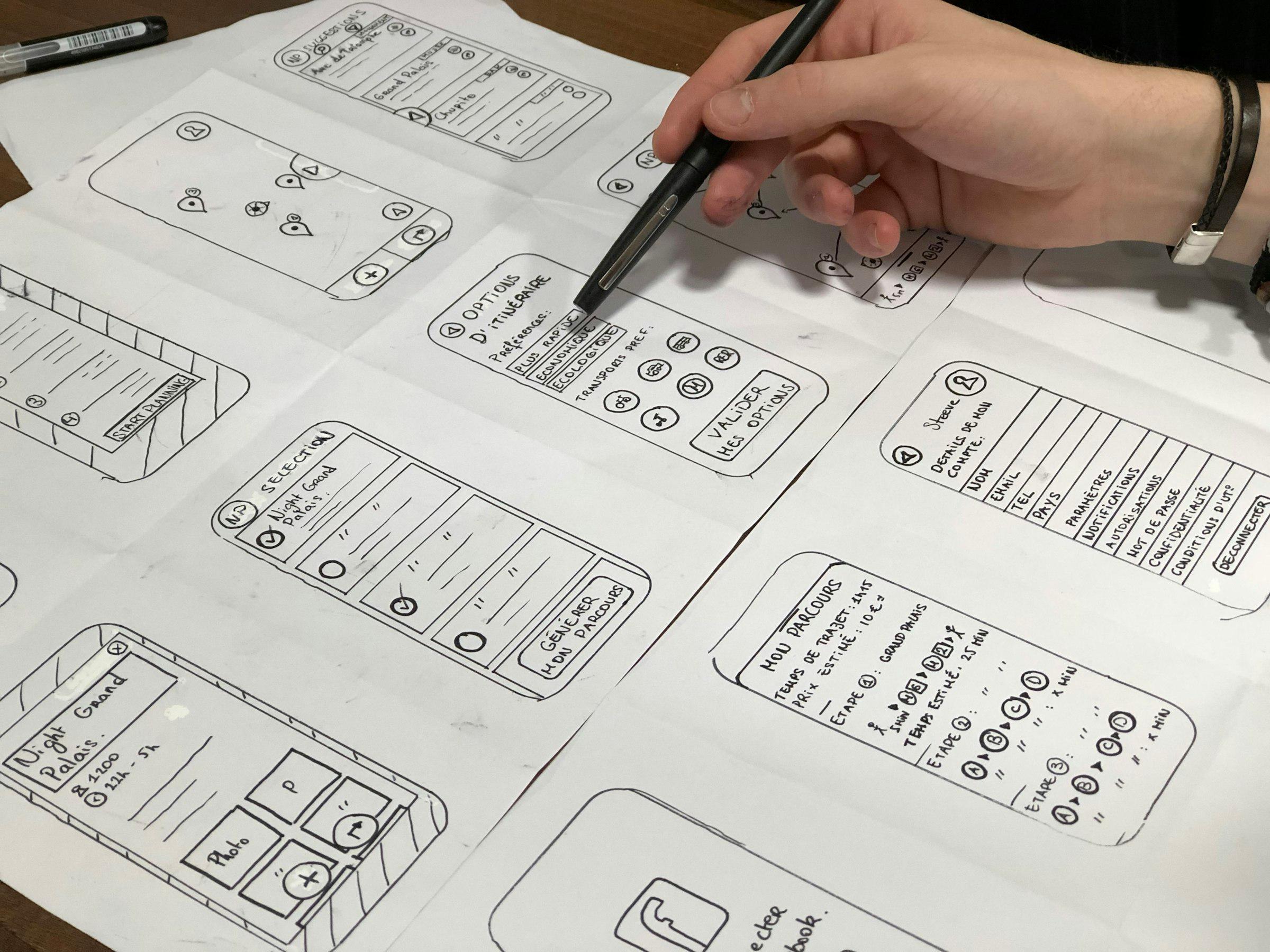
When talking can't settle a question, have the agent build a quick throwaway version you can click, then keep the answer and park the code.
Your goals
By the end of this Lesson
- You'll be able to tell a question you can settle by talking from one that needs a prototype, and say when not to build one.
- You'll be able to predict what
/prototypebuilds for a logic question and for a UI question. - You'll be able to apply the six rules and capture a finished prototype: the decision into the real code, the prototype onto a
prototype/<name>branch, the verdict and what it settled on the ticket. - You'll be able to run the prototype detour with
/handoffout and back, and say when/handoffis the wrong move.
Why it matters
You're planning a feature with Claude Code (Anthropic's coding agent: an AI that reads your files, runs commands and writes code from your terminal). The agent is grilling you: asking about your plan, round by round, until nothing is left to guess. Most answers are easy. Then it asks: "Should comments sit beside the Lesson or underneath it?" You can't picture either. You accept its recommendation, it builds, and a week later you're rebuilding a page that feels wrong.
Matt Pocock, a developer and teacher who publishes a popular set of Skills for Claude Code, sees this constantly. (A Skill is a short instruction file the agent loads when you type its name, like /prototype, or when a task matches its description; Skills covers installing them.) In his July 2026 video on prototyping, he complains that people pour everything into a detailed spec (a written description of what to build) and forget they can write code along the way.
He sorts questions by fidelity. A low-fidelity question, like "which web address should this page use?", is settled in a sentence. A high-fidelity one, like "one long form or three short pages?", needs a working picture first. Matt calls these ungrillable: no interview settles them (Grilling covers the interview). Code is now cheap to produce, so build the thing you can't picture, look at it, and answer in one line.
The idea: throwaway code that answers one question
Matt's prototype Skill defines a prototype as "throwaway code that answers a question". Two words do the work.
Question. The question comes first and decides what gets built. A prototype that answers the wrong question is wasted, so it's written down before any code: on the page itself, or at the top of the code.
Throwaway describes how the code is written: no tests (extra code that checks the main code automatically), no tidy structure, no real database. It doesn't mean deleted. Since version 1.2.0 of Matt's Skills, the answer goes into the real code and the prototype is parked in Git (the tool that records a project's history) as evidence.
The question also picks one of two paths. (The Skill calls them branches, but they aren't Git branches, the separate lines of saved work explained below.)
| The question is about | Path | What you get |
|---|---|---|
| Rules and states: does this logic hold up? | Logic | One web page file with buttons that push the rules through tricky cases |
| A screen (the UI, or user interface): how should it look? | UI | Several very different versions of the screen, with a bar to flip between them |
/prototype is a model-invoked Skill: you can type it, followed by your question, and the agent can also reach for it when a task fits. Claude Code ships a hidden built-in prototype of its own, so if /prototype says "unknown skill", type /mattpocock-skills:prototype instead.
When not to reach for it. Something already built is broken: that's /diagnosing-bugs (Diagnosing bugs). The design is settled: build it with /implement, Matt's Skill for building planned work (Implement). "Prototype the whole app" isn't one question, and if a prototype is still being built a day later, split the question.
Checkpoint 1 of 4
Show the answer
Answer: "Do the waitlist, late cancels and no-show fees still behave when they collide?"
- "Should the booking page live at the address /book, or at /classes instead?" A low-fidelity question: one line answers it. Building something to decide it is wasted effort.
- "Do the waitlist, late cancels and no-show fees still behave when they collide?" Right. Rules that interact in ways you can't hold in your head are a logic question. Push real cases through them and watch.
- "Should members have to create an account before they can book any class at all?" That's a decision you can make by talking. Answer it in the interview.
- "Why does the Book button crash for some members on older phones since last week?" Something already built is broken. That's a bug for
/diagnosing-bugs, not a design question.
The logic path: one HTML file
Some rules look fine on paper and only feel wrong once real cases go through them: a loan you can renew twice but not once it's overdue. They're rules about state: the situation something is in (On loan, Overdue) and the moves between situations. For these, the Skill builds a single HTML file: one web page that opens in your browser when you double-click it, with nothing to install or start first. Someone who has never coded could drive it, because every label speaks the business's language ("Renew loan"), not the code's.
The page reads top to bottom:
- The question, in a visible paragraph.
- The current state, as labelled fields rather than raw data, redrawn after every click.
- Free-play buttons, one per action, usable in any order.
- Guided walkthroughs, one scenario per tab, each resetting to a known start so it runs the same way every time: the happy path (everything goes as planned), a tricky edge case (an unusual mix of moves), and one attempt at something that should be impossible.
The rules themselves live in one small <script> block (the part of the file that holds the code), which never touches the page. Once they're right, that block is copied into the real code, and the whole file, rules included, is parked in Git, where it still runs. Listen for "wait, that shouldn't be possible": each one is a bug in the idea, caught before real code depends on it.
The UI path: variants behind ?variant=
For a question about how a screen should look, the Skill builds several radically different versions of it, called variants: three by default, five at most. They share one route (one web address in your app), and a ?variant= setting on the end of the address picks which one shows.
Variants must differ in structure: the layout, what's most prominent, the main control. Colours don't count. The UI instructions are blunt: "Three slightly-tweaked card grids isn't a UI prototype, it's wallpaper." If two look alike, the agent rebuilds one, told outright to avoid a card grid.
Where they go. The Skill strongly prefers the real page. If the screen exists, the variants render on its route with its real data, header and sidebar; only the part in question swaps. So does something new that belongs inside an existing page. Only when there's truly no home does it make a throwaway route with "prototype" in its name, because an empty page hides design problems.
The switcher bar floats at the bottom, clearly not part of the design: the variant's letter and name between two arrows. The ← → keys work too. Each switch updates the address, so a variant can be shared. The bar hides itself on the live site.
The best feedback is a remix, such as B's header with C's sidebar, which the agent can build as a new variant.
Checkpoint 2 of 4
Show the answer
Answer: On the real settings route, picked by ?variant=, with its data kept.
- On a brand-new
/prototype/settingsroute, switched by?variant=, so the real page stays untouched. That's the last resort, for screens with no home. An empty route hides problems the real page would expose. - In a separate practice project, so the real one stays clean. There they'd be judged with no real data, header or density around them, and they'd be harder to fold back in.
- On the real settings route, picked by
?variant=, with its data kept. Right. The real page is the preferred home. Only the part in question swaps; the data, header and sidebar stay. - As three separate copies of the settings page, each at its own new address. One route with
?variant=keeps the real data in one place and lets the bar flip between versions. Copies drift apart.
Six rules for both paths
- Throwaway, and clearly named. It sits next to what it's for, but its name says "prototype".
- Trivial to run. One command for UI; a double-click for logic.
- No saving by default. State lives in memory. If the database is the question, it uses a scratch one whose name says it's a prototype to wipe.
- Skip the polish. No tests, no error handling (code for when things go wrong) beyond what makes it run, no clever structure. Once it needs tests, it has stopped being a prototype.
- Show the full state after every click or variant switch.
- Capture it when you're done.
A Git branch is a separate line of commits (saved snapshots of the project) beside main, the line your live site is built from. Capturing has three parts:
- The decision goes into the real code. The logic block lifts in as it is, because it was written to be lifted. A winning UI variant is rewritten properly, with tests. The clickable page, the switcher and the losing variants never go in.
- The prototype goes onto a branch named
prototype/<name>and is never merged (its commits never joinmain). The whole logic file, or every variant plus the switcher, goes there as runnable evidence a later session (a new Claude Code conversation) can open. - The answer gets written down: the verdict and the question it settled, on the ticket for building the real thing (a small task in the project's tracker), with a pointer to the branch. A commit message works too.
By default it records little more than that. But a prototype settles more than a winner: what each control does, what each panel holds. Ask for those too, or they stay buried in code everyone treats as throwaway. main keeps only the decision, none of the prototype.
Checkpoint 3 of 4
Show the answer
Answer: The rules block is copied into the real code; the file goes onto a prototype/<name> branch.
- The rules block is copied into the real code; the file goes onto a
prototype/<name>branch. Right. The rules block was written to be lifted into the real code. The whole file, rules and all, is parked as runnable evidence, out of main. - Both halves go onto a
prototype/<name>branch, and only the verdict reaches the ticket. Parking the whole file is right, but that's only half. The rules block was written to lift into the real code; leave it only on the branch and the real code never gets the checked rules. - Both halves are merged into main together, so the page can double as a handy admin tool. The page was built under prototype rules: no tests, minimal error handling. It never goes into main.
- The HTML page stays on main as living documentation, while the rules get rewritten from scratch. Backwards. The rules block was written to be lifted out as it is; the page is the throwaway part.
A session, step by step
Here's a UI prototype on this site, where every Lesson already has a page to host the variants.
You:
/prototypeWhat should the Final test results look like at the end of a Lesson? I can't picture it.Agent: That's a question about how a screen looks, so the UI path. Lesson pages already exist, so the variants render on the real Lesson route, picked by
?variant=. Real Lessons, fake scores held in memory.Agent: Run
npm run devto start the site on your computer, then open any Lesson. A "Scorecard": one big score, then the missed questions. B "Review": every question in order, marked right or wrong. C "Next step": a slim score bar, then links to the sections to reread. Flip with the bar at the bottom, or ← →.You: B's marking is clear, but I want C's "reread this" link under each wrong answer.
Agent: Added D: B's list, with a reread link under each wrong answer.
You: D wins. Capture it, and write down what each part of D settled.
Agent: Rebuilt D properly in the real Lesson page, with tests, and took the variants and the switcher out of main. All four variants and the switcher are committed to
prototype/test-results, never to be merged. On the ticket: the question, "D wins", what each part of D shows, and a link to the branch.
You type the Skill and a question, not a solution.
It picks the UI path and hosts the variants on the page that already exists.
Three variants that disagree about structure, started with one command.
You react and mix. That's the most useful feedback you can give.
It adds the mix as a new variant instead of overwriting the others.
You call it, and ask for what it settled, not just the winner.
The winner is rebuilt for real, the prototype parks on a branch, and the details go on the ticket.
Your part: name the question, react, ask for a mix, say when it's done, and ask for what the winner settled. The agent does the rest.
The detour: /handoff out and back
A prototype can be hungry. Tokens are the small chunks of text AI usage is measured in, and everything in a session lives in the agent's context window, its working memory (see The context window). As it fills, the agent reasons less sharply; Matt calls the clear-thinking part the Smart zone, about 150k tokens as a rule of thumb. In his May 2026 handoff video, one prototype session reached about 169k. Pour that into your planning session and you push it out of the Smart zone just when the interview needs it sharp.
Inside a project, Matt plans with /grill-with-docs: the same interview, plus a glossary of the project's words (Domain modeling). When a question there needs a prototype, he takes a detour, bridged by /handoff. That Skill writes a summary of the conversation to a markdown file (plain text with light formatting) in your computer's temp folder, not the project. The file names the Skills the next agent should load, points at existing files instead of copying them, and leaves out secrets. /handoff is user-invoked: the agent never starts it, so you type it, followed by what the next session is for. The fresh session is just claude in a second terminal window, asked to read the file at that path.
- Grilling with /grill-with-docs
- Handoff out
- Prototype in a fresh session
- Handoff back
- Grilling resumes
- Spec and tickets
You're grilling in session one when question 13 needs something talking can't settle.
You type
/handoffplus the purpose. It writes a short file to your temp folder, and session one stays open.In a second terminal window,
claudestarts a fresh session. You paste in the file's path; it loads/prototypefrom the suggested Skills and builds.Once the answer is clear, a second
/handoff, told to carry back only the verdict and the non-obvious lessons, writes another short file.Back in session one, you give it that file's path. None of the prototype's tokens ever landed here.
With every question settled, the same session goes on to
/to-specand/to-tickets: the spec, then the tickets it splits into (Spec + tickets).
You re-explain nothing, and the planning thread stays small. It's the first fork in Matt's Main flow, the path most work takes from idea to shipped (The main flow).
When /handoff is the wrong move. What it buys is a file that travels. Matt's ordered checklist for a phase boundary (the gap between two chunks of work):
- Carry on, if the next step needs this conversation word for word, or the Smart zone has room for it.
/clear(empty the window), if nothing here matters any more./handoff, only if something must travel: to another folder or project, another agent tool, a colleague, or a side task forked off mid-work.- A subagent (a helper agent with its own fresh window), if the job can run unattended.
- Otherwise
/compact, a Built-in command that replaces the conversation with a summary you can steer.
One limit sits over step 1 while you're still planning: near the Smart zone's edge before /to-tickets, don't carry on, whatever the next step wants. Go on down the list; for planning you still need, that usually means /compact. The detour lands on step 3: the prototype is a side task forked off mid-grilling. Going from planning straight to building, in the same place, with room left? Carry on: the build wants your reasoning word for word.
Checkpoint 4 of 4
Show the answer
Answer: /compact with a note saying more QA (testing by hand) is coming.
/handoffto a fresh session in this same folder, then carry on there with the file. No new folder, tool or colleague, and no side task to fork off: the feedback round happens right where you are./clear, then describe the variants to the agent all over again. Clearing throws away the design decisions the next round needs.- Keep going as you are; the window holds 1M tokens, so there's plenty of room. The limit that matters is quality, not size. Near the edge of the Smart zone, the agent reasons less sharply even with most of the window free.
/compactwith a note saying more QA (testing by hand) is coming. Right. Near the edge you don't push on; nothing is disposable, nothing travels, and you're staying in the loop. That's where the checklist lands, and it's what Matt did before a feedback round in his July 2026 video.
How Matt and others use it
Matt Pocock, from his videos:
- He reacts, then mixes. In his July 2026 video, flipping through three search-bar variants, he liked A's search box and C's layout, and got a D combining them (4:01–7:36).
- He compacts when nothing travels: at about 100k tokens, staying put, with more QA to come (5:46–6:08).
- He hands the winner to an agent that builds it unattended, plugging it in and removing the prototype code, with the branch as reference (8:03–8:39).
- Not just screens. The rules behind the screens get logic prototypes too; before 1.2.0, the Skill built a terminal app (8:53–9:50).
- The round trip. In May 2026, at question 13 of a grilling session, he handed off to prototype the hard parts, handed the lessons back, then finished grilling and wrote the spec and tickets (7:20–9:13).
- Sometimes he skips it. In March 2026 he chose code over prototyping a few UI versions, then found in QA that a prototype phase could have caught the problem (18:56–19:37, 38:31–39:02).
Other developers:
- In an October 2026 problem report on Matt's Skills, one developer ran four rounds of UI prototypes, had agents build 27 tickets with every check passing, and still found 16 problems at first glance: only the verdicts had been written down.
- A September 2026 report notes the flip side: kept prototype branches pile up, because tickets link to them and nobody can safely delete them.
Try it yourself
Your turn
You need Claude Code installed and signed in (see Start here), plus Git. The logic path needs no web project.
- Open a terminal and make an empty practice repo (a project folder tracked by Git), one line at a time:
mkdir book-loans
cd book-loans
git init -b main
git commit --allow-empty -m "start"
If Git says "Please tell me who you are", run the two git config --global lines it shows, with your own name and email, then run the commit line again.
- Start Claude Code with
claude. If it asks whether you trust the folder, choose Yes. If you see "plan mode on" under the prompt box (a mode that only proposes), press Shift+Tab until it changes. - Type a slash and the letters prot, and look at the menu that pops up (don't press Enter). If no prototype Skill is listed, type
/exit, run this, then runclaudeagain:
claude plugin install mattpocock-skills@claude-plugins-official
- Delete what you typed, then paste this (if it says "unknown skill", swap the first word for
/mattpocock-skills:prototype). If it asks permission, choose Yes for what you asked it to do in this folder, No for anything else. Esc stops it.
/prototype Does this state model feel right? A library book is Available, On loan, Overdue or Returned. A loan can be renewed at most twice, but not once it's overdue. Returning an overdue book records a late fee. I want to press buttons and watch the state change.
- Its reply names the HTML file, in your book-loans folder. Double-click it in File Explorer or Finder, or ask the agent to open it.
- Run every walkthrough tab, then try to break the rules with free play: renew three times, renew an overdue book. If something surprises you, ask for a new button or scenario. Ask whether the rules block touches the page.
- Capture it (
loans.jsstands in for real code,DECISION.mdfor the ticket):
We're done. Commit the prototype to a new prototype/book-loans branch that is never merged. Then switch back to main, copy the rules block into a new loans.js, write DECISION.md with the question, the verdict, what the prototype settled and a pointer to that branch, and commit both.
- Type
/exit, then rungit branchandlsin the same terminal.
It's working if:
- The question is in plain words at the top of the page.
- It opened by double-click: no install, no server.
- A labelled state panel, not raw data, changes after every click.
- There are free-play buttons and walkthrough tabs, and one tab tries something that should be impossible.
- The agent said the rules block doesn't touch the page.
- A click surprised you, or you convinced yourself nothing would.
git branchlistsprototype/book-loansand* main;lsshowsDECISION.mdandloans.jsbut no HTML file.
Stretch: the round trip. Do this instead of steps 4 to 6. In the first window, paste the step 4 prompt without /prototype, add "Grill me on this, and don't build anything yet", and answer a question or two. Then type /handoff prototype these loan rules in a fresh session and report back, and copy the file path it shows (if none, ask where it saved the file). In a second terminal window, run cd book-loans, then claude, then type Read, the path and and continue (Yes if it asks to read the file). Do steps 5 and 6 there, then type /handoff back to the first session: the verdict and anything non-obvious. In the first window, type Read and the new path, then do steps 7 and 8 there. It's working if both files are short, the first suggests the prototype Skill, and the second points at the HTML file.
Common mistakes
- Prototyping what talking can settle, like a web address or a button label.
- Variants that differ only in colour, or judged on an empty page when a real one exists.
- Hardening the prototype with tests, the real database or features for later.
- Merging it into main, or deleting it.
maingets the decision;prototype/<name>gets the whole prototype. - Recording a winner but not what it settled.
- Prototyping inside a long planning session, or using
/handoffwhen nothing has to travel.
Cheat sheet
| Moment | What to do |
|---|---|
| A question you can't settle by talking | /prototype <the question> |
| It says "unknown skill" | /mattpocock-skills:prototype instead |
| Rules or state | Logic path: one HTML file you double-click |
| A screen | UI path: 3 to 5 variants, ?variant=, a switcher bar |
| Done | Decision into the real code, prototype onto prototype/<name>, verdict and what it settled on the ticket |
| Mid-planning, with a big prototype ahead | /handoff out, /prototype in a fresh session, /handoff back |
| Nothing has to travel | Carry on, or /compact |
| Design already settled | /implement |
Final test
10 questions on everything above. Pick your answer, then open the box under it to check.
Show the answer
Answer: One HTML file with a state panel, free-play buttons and walkthrough tabs.
- Three layouts of the tracking page, flipped with
?variant=and a bar. That's the UI path, for how a screen should look. This question is about rules and state. - A small terminal app you run from the command line to step through the parcel rules. That's what the logic path built before 1.2.0. It now builds one HTML file anyone can open.
- One HTML file with a state panel, free-play buttons and walkthrough tabs. Right. A logic question gets a single double-click page that pushes the rules through tricky cases.
- A real parcel-status feature with tests and the real database. Tests and a real database are exactly what a prototype skips. They come when the answer is built for real.
- Three layouts of the tracking page, flipped with
Show the answer
Answer:
/prototype: three structurally different variants you flip between./prototype: three structurally different variants you flip between. Right. How a screen should look is a UI question. Seeing all three beats describing them a third time./prototype: one HTML file with buttons that walk through each view's rules. That's the logic path, for state and rules. Your question is about how the screen should look.- Let the agent pick one and move on; it's only a layout choice. You'd be agreeing to something you can't evaluate. How a screen feels to use is a real product decision.
- Keep describing all three in more detail until one of them finally feels right. Talking harder won't settle a question you need to see.
Show the answer
Answer: Decline, and carry on building the ticket with
/implement.- Accept: seeing three layouts can only help before more code exists. A prototype answers an open question. With none left, it spends tokens and reopens a settled decision.
- Accept, but have the layouts built on a throwaway route so the real page stays clean. Where it would live isn't the issue. There's no question for it to answer.
- Stop building and go back to
/grill-with-docsto reopen the layout first. You'd be reopening a decision you're happy with. Nothing is unsettled. - Decline, and carry on building the ticket with
/implement. Right. Agents can suggest the prototype Skill at the wrong moment. When nothing is left to decide, build.
Show the answer
Answer: A
/handofffrom the prototype session: the verdict and what surprised you.- The whole prototype conversation, pasted into the planning session so nothing is lost. That pours the prototype's tokens into the very window the detour was protecting.
- A
/handofffrom the prototype session: the verdict and what surprised you. Right. Written where the prototype ran, it carries just the answer, so the planning session reads one short file and carries on grilling. - Nothing: the planning session can read the prototype's files on disk when it needs them. The files show what was built, not what you decided or learned. Hand the answer back on purpose.
- A
/compactrun in the planning session, so it has room for the prototype's results./compactsummarises the session you run it in. It can't bring anything back from the other one.
Show the answer
Answer: Under the colours and corners, all three are the same layout.
- They sit on the page's real route instead of a new prototype route of their own. The real page is the preferred home: its data and header show problems an empty route hides.
- Under the colours and corners, all three are the same layout. Right. Variants must disagree about layout, hierarchy or the main control. Ask for two of them redone, each without a card grid.
- None of the three had tests written before Sam saw them. Prototypes skip tests on purpose. That rule is being followed; it isn't the mistake.
- Three is too few; the Skill should have built five for more range. Three is the default. Five copies of one grid would still be one grid.
Show the answer
Answer: She should have rewritten B properly instead of merging prototype code.
- She should have deleted the prototype entirely once B won. That was the old advice. The prototype stays, on a branch, as evidence.
- She should have kept all the variants live so her users could pick one. Variants and the switcher are for deciding, not for users. The switcher hides itself on the live site for a reason.
- She should have merged only B's files, leaving the other variants and the switcher on the branch. Closer, but B itself was written under prototype rules: no tests, minimal error handling. It gets rewritten, not merged.
- She should have rewritten B properly instead of merging prototype code. Right. Prototype code skips tests and error handling. Rewrite B into the real code, and park the whole prototype, B included, on a never-merged branch.
Show the answer
Answer: She should have built it in the session that did the grilling.
- She should have built it in the session that did the grilling. Right. The build wants the grilling word for word, and there was room.
/handoffbuys a file that travels, and nothing was going anywhere. - She should have typed
/clearinstead, so the build starts clean. Clearing throws away the decisions the build needs. The fix is not to leave the session at all. - She should have asked the agent to run
/handofffor her./handoffis user-invoked, so only you can start it. And here it wasn't needed anyway. - She should have run
/compactand built from its summary instead. There was room left, so there was nothing to shrink. Carrying on comes first in the checklist and keeps the grilling word for word.
- She should have built it in the session that did the grilling. Right. The build wants the grilling word for word, and there was room.
Show the answer
Answer:
/grill-with-docs→/handoff→/prototype(fresh session) →/handoffback → more grilling →/to-spec/grill-with-docs→/prototypein the same session →/to-spec→/handoffA big prototype would flood the planning session, and a handoff at the very end carries nothing back./handoff→/grill-with-docs→/prototype→/to-specThere's nothing to hand off before the interview starts, and the answer never comes back./grill-with-docs→/handoff→/prototype(fresh session) →/handoffback → more grilling →/to-specRight. Grill until you hit the question, fork the prototype off as a side task, bring only the answer back, finish grilling, then write the spec./grill-with-docs→/to-spec→/handoff→/prototype(fresh session) →/handoffback → then/to-ticketsThe spec gets written while the question is still open, so the prototype's answer arrives too late to shape it. The spec comes once every question is settled.
Show the answer
Answer: "Skip them. Tests belong with the real code the rules move into, not here."
- "Good idea: tests make the verdict trustworthy enough to merge the prototype." The prototype never merges, tested or not. The answer moves into the real code, which gets its own tests.
- "Skip them. Tests belong with the real code the rules move into, not here." Right. A prototype exists to learn one thing fast. Tests belong with the real code, once the rules have moved there.
- "Skip them: the prototype gets deleted once it answers, so tests go too." Skipping is right, but not for that reason: the prototype is parked on a branch, not deleted. Tests are skipped because a prototype exists to learn one thing fast, and the rules get tested once they're in the real code.
- "Write them for the rules block only, since that's the part you keep." The rules block is kept, but its tests come in the real code, after it moves. Inside the prototype, tests slow down the one thing it's for.
Show the answer
Answer: They should have listed every decision made inside C on the ticket as well.
- They should have merged C's prototype code, so the agent could reuse it. Prototype code skips tests and error handling, so it's rewritten, never merged. The gap was in what the ticket recorded.
- They should have run more rounds of variants until nothing was left to decide. More rounds don't help if what they settle never reaches the ticket.
- They should have put the verdict in a commit message instead of the ticket. A commit message is a fine home for the verdict, but it would still only say C. Where it was written wasn't the gap.
- They should have listed every decision made inside C on the ticket as well. Right. Write down the question and the details C settled (field order, help text), with a pointer to the
prototype/<name>branch.